
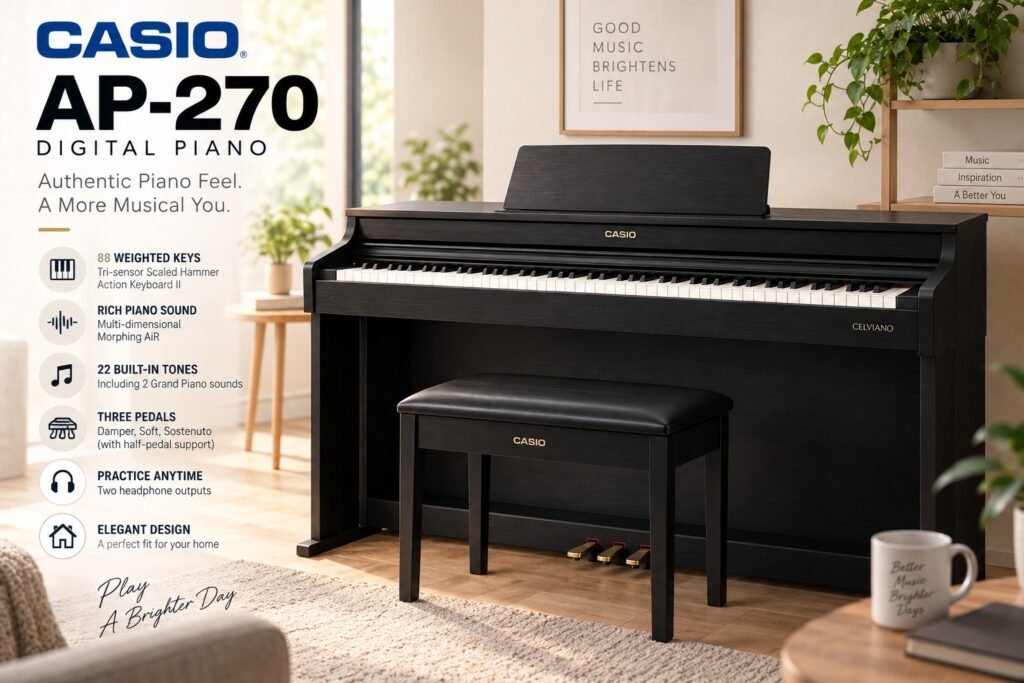
The Casio AP-270 digital piano sits in an interesting part of the Celviano lineup. It isn’t a portable keyboard that happens to have 88 keys. It is designed to stay in one place, with a proper furniture-style cabinet, three pedals and a playing position much closer to a traditional upright piano.
That distinction matters.
If you’re choosing your first digital piano, it’s easy to get distracted by Bluetooth, hundreds of sounds and large displays. The AP-270 is much simpler. Its appeal is basically this: sit down, select a piano sound and play.
And for the right buyer, that’s exactly what a digital piano should do.
Casio AP-270 Specs at a Glance
| Specification | Casio AP-270 |
|---|---|
| Keys | 88 |
| Keyboard | Tri-sensor Scaled Hammer Action Keyboard II |
| Touch sensitivity | 3 levels + Off |
| Piano sound engine | Multi-dimensional Morphing AiR |
| Polyphony | Up to 192 notes |
| Tones | 22 |
| Speakers | 2 x 8W |
| Pedals | Damper, soft, sostenuto |
| Half-pedal support | Yes, damper |
| Recording | MIDI recorder |
| Headphones | 2 headphone outputs |
| USB | USB Type B |
| Cabinet | Console / furniture style |
| Lid | Sliding key cover |
| Weight | Around 36.6 kg / 80.7 lb |
The specification sheet doesn’t look particularly exciting by modern standards. That’s actually a useful clue about what the AP-270 is.
It’s primarily a piano, not a workstation.
What Does the Casio AP-270 Feel Like?
The AP-270 uses Casio’s Tri-sensor Scaled Hammer Action Keyboard II, an action found across a number of older-generation Privia and Celviano instruments.
The keys are weighted, and the weighting changes across the keyboard to imitate the heavier bass and lighter treble response of an acoustic piano.
For a beginner, that’s far more important than having another hundred instrument sounds.
If you’re learning scales, chords, dynamics and proper finger control, an 88-key weighted action gives you something a lightweight 61-key Casio keyboard simply cannot.
The AP-270’s action isn’t Casio’s latest or most sophisticated design, though. That’s worth keeping in mind if you’re comparing a used AP-270 against a newer premium digital piano.
A beginner or intermediate player may be perfectly happy with it. An experienced acoustic-piano player is more likely to notice its limitations.
One Detail I Like: The Key Surfaces
Casio gave the keyboard simulated ebony and ivory textures rather than completely smooth plastic surfaces.
It’s a relatively small feature, but during longer practice sessions it makes the keyboard feel less like a cheap electronic instrument.
Don’t mistake it for an acoustic grand action. It isn’t.
But the AP-270 was designed seriously enough for learning piano technique rather than merely triggering sounds.
Piano Sound: Better Than the Number of Tones Suggests
The AP-270 has 22 built-in tones.
That sounds almost comically small when inexpensive keyboards advertise 400, 600 or even 800 sounds.
But those numbers aren’t particularly useful when you’re buying a piano.
The important part is Casio’s Multi-dimensional Morphing AiR Sound Source, which is responsible for the acoustic-piano sounds.
There are two main grand-piano tones with different characters. This gives you some choice depending on whether you want a brighter, more direct sound or something better suited to softer playing.
The sound also responds to dynamics rather than simply becoming louder when you hit a key harder.
For practice, lessons and normal home playing, that’s much more valuable than a huge sound library.
192-Note Polyphony
The AP-270 offers up to 192-note polyphony.
For the intended user, that’s plenty.
Polyphony becomes important when you’re using the sustain pedal, layering sounds and playing more complicated passages. Notes continue sounding after you’ve physically released the keys, so the piano can be processing considerably more than the ten notes under your fingers.
192 notes gives the AP-270 enough headroom that beginners shouldn’t be worrying about notes disappearing during normal piano playing.
Speakers: Good for Practice, Not a Substitute for an Acoustic Piano
The built-in speaker system uses two 8W amplifiers.
That’s appropriate for a bedroom, apartment or ordinary living-room practice setup.
The cabinet also helps here.
A portable slab piano sitting on an X-stand and a console piano installed against the wall don’t present sound in quite the same way. The AP-270 feels more like a complete instrument because the keyboard, speakers, pedals and furniture are one unit.
But don’t expect the physical scale of an acoustic upright.
The low end and sheer room-filling presence of strings moving inside a large wooden acoustic instrument aren’t something a modest pair of speakers can completely reproduce.
For quiet practice, however, digital wins easily.
Plug in headphones and you can practice at night without making everyone else listen to the same difficult passage 30 times.
The Cabinet Is One of the Best Reasons to Buy It
This is where the Casio Celviano AP-270 separates itself from something like a portable CDP or Privia.
You get a proper stand, keyboard cover, music rest and integrated three-pedal unit.
Once assembled, it stays ready.
That doesn’t sound like an important feature until you compare it with a portable keyboard that has to be put on a stand, connected to a loose pedal and perhaps moved every time somebody needs the desk.
Practice friction is real.
A piano that’s permanently sitting there ready to play is easier to turn into a daily habit.
The tradeoff is obvious: at roughly 36 kg assembled, this isn’t something you’ll casually throw in the car.
AP-270 Makes Sense If:
- 🏠 The piano will permanently stay at home
- 🎹 You’re learning traditional piano
- 🎧 You need quiet headphone practice
- 👨👩👧 Several family members may use it
- 🦶 You want three fixed pedals rather than a loose sustain pedal
If portability matters, I’d look elsewhere.
The Three-Pedal Setup Matters More Than Beginners Think
You get the traditional arrangement:
Damper Soft Sostenuto
The damper pedal also supports half-pedaling.
A complete pedal unit isn’t particularly important during your first few lessons. As your repertoire progresses, though, it becomes another reason why a console digital piano works better as an acoustic-piano substitute.
There’s also no pedal sliding across the floor.
Anyone who has chased a cheap sustain pedal underneath a desk while trying to play knows that this is not a trivial improvement.
Useful Practice Features
The AP-270 isn’t loaded with technology, but Casio included several genuinely useful functions.
Duet Mode
Duet Mode divides the keyboard into two equivalent pitch ranges.
The obvious use is lessons: teacher and student can sit at the same instrument and play the same notes without constantly moving between octaves.
It’s one of those features that sounds boring in advertising but can actually be useful in a teaching environment.
Layer and Split
You can combine compatible tones for a fuller sound and use the keyboard’s available performance functions without turning the piano into a complicated workstation.
Again, Casio keeps things fairly straightforward.
MIDI Recording
There’s a built-in MIDI recorder for capturing performances.
It’s useful for practice because listening back to yourself can expose timing and dynamic problems that are surprisingly difficult to notice while you’re concentrating on playing.
Just understand what you’re getting: this isn’t the same as a sophisticated multitrack audio production system.
Connectivity Is Where the AP-270 Shows Its Age
This is probably the area I’d examine most carefully before buying an AP-270 today.
Modern digital pianos increasingly make wireless connectivity, apps and convenient integration with phones or tablets part of the experience.
The AP-270 comes from an earlier generation.
You have USB connectivity and headphone connections, but don’t buy it expecting the same modern wireless experience found on newer models.
For some people this doesn’t matter at all.
If your routine is:
Turn piano on → select grand piano → practice for an hour → turn it off
then Bluetooth adds almost nothing.
But if you want to regularly use learning apps, stream audio through the instrument or build a connected practice setup around your phone, newer alternatives deserve a serious look.
Casio AP-270 vs Portable Privia
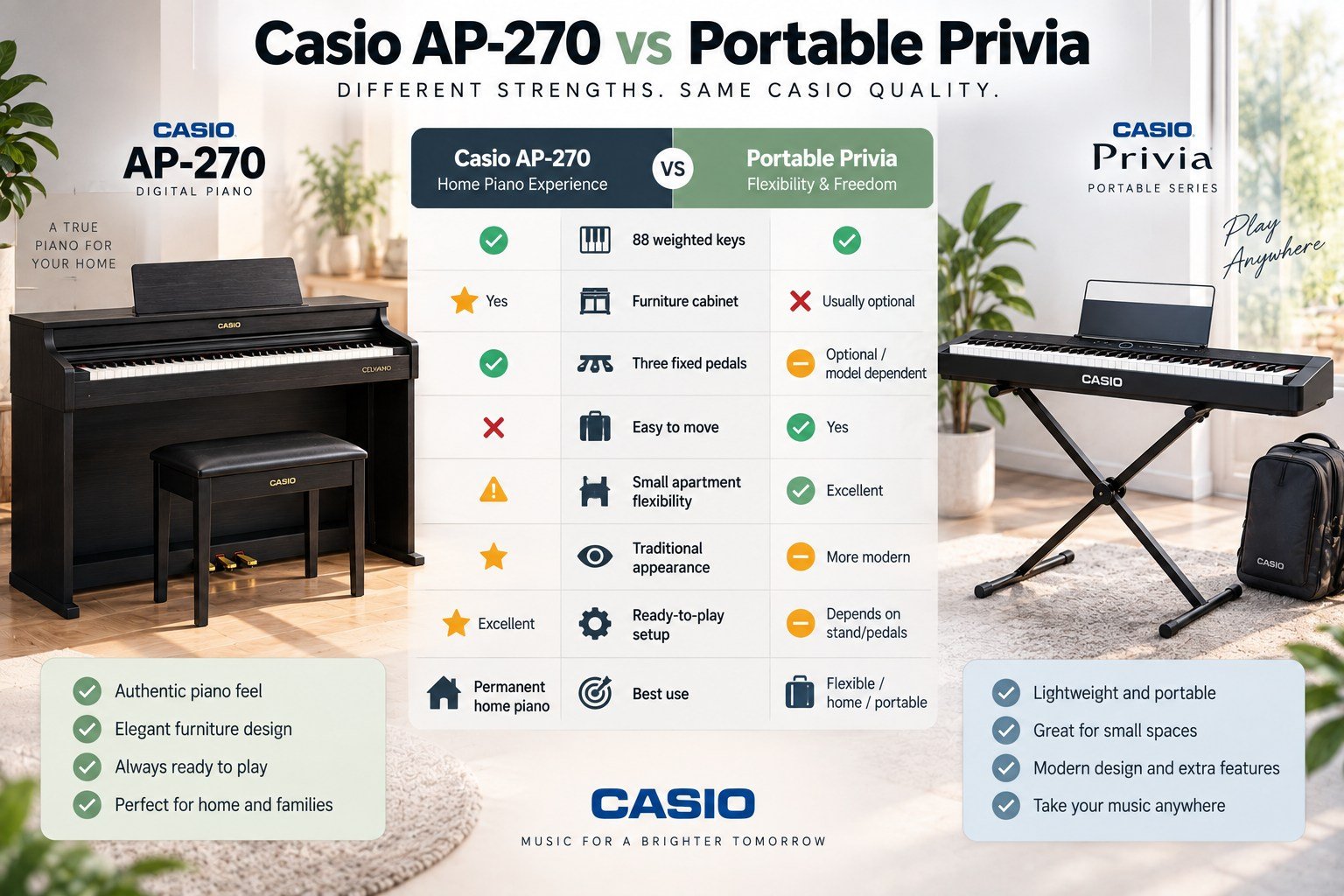
This is less about which piano is “better” and more about how you’ll use it.
| Casio AP-270 | Portable Privia | |
|---|---|---|
| 88 weighted keys | ✅ | ✅ |
| Furniture cabinet | ⭐ Yes | ❌ Usually optional |
| Three fixed pedals | ✅ | Optional/model dependent |
| Easy to move | ❌ | ⭐ Yes |
| Small apartment flexibility | ⚠️ | ⭐ Excellent |
| Traditional appearance | ⭐ | More modern |
| Ready-to-play setup | ⭐ Excellent | Depends on stand/pedals |
| Best use | Permanent home piano | Flexible/home/portable |
If I lived in a small apartment and expected to move frequently, I’d choose a portable Privia.
If I had a dedicated spot where the piano could remain indefinitely, the AP-270 becomes much more appealing.
Casio AP-270 vs AP-470
The AP-470 was positioned above the AP-270, and that’s the model I’d compare closely if both appear on the used market at similar prices.
The AP-270 is the simpler instrument.
That can work in its favor when the price difference is substantial. You don’t necessarily need to move higher in the Celviano lineup just to learn piano.
But when used prices become close, the calculation changes.
I wouldn’t pay nearly AP-470 money for an AP-270 simply because both have Celviano written on the cabinet.
Condition and service history matter as well. A pristine AP-270 that’s been sitting in one home can be a smarter purchase than a more sophisticated instrument that’s been abused.
Is the Casio AP-270 Good for Beginners?
Yes – and beginners are arguably the people for whom it makes the most sense.
It gives you the important things from day one:
88 weighted keys Full-size piano layout Three pedals Headphone practice Proper furniture stand Good acoustic-piano sounds Enough polyphony for serious practice
It also avoids burying the player under hundreds of features.
You can sit down and learn piano.
That’s a feature in itself.
Is It Good Enough for Advanced Players?
This answer needs more qualification.
You can certainly play advanced music on an AP-270. Having 88 weighted keys and 192-note polyphony doesn’t suddenly become inadequate when your repertoire gets harder.
The question is feel.
As players become more experienced, subtle differences in repetition, key return, dynamic control and the relationship between key movement and sound become increasingly noticeable.
Someone accustomed to good acoustic uprights or grands may want one of Casio’s newer premium actions, a higher Celviano model or competing instruments from Yamaha, Roland and Kawai.
The AP-270 is better understood as a strong home-learning piano than Casio’s definitive acoustic-piano replacement.
Should You Buy a Used Casio AP-270?
This is where the AP-270 can become particularly interesting.
It’s an older model, so the used price matters enormously.
A clean AP-270 at a sufficiently low price can make far more sense for a beginner than buying a new lightweight keyboard simply because the latter has newer technology.
When inspecting one, don’t just confirm that it turns on.
Check These Before Paying
Play every key. Listen for keys that are unusually loud mechanically, sticky or inconsistent.
Test soft playing. Each key should respond predictably rather than suddenly jumping in volume.
Hold notes with the damper pedal. Confirm that the pedal and half-pedal behavior work.
Test all three pedals.
Try both headphone outputs.
Turn the speakers up. Listen for distortion, rattling or one side cutting out.
Check the cabinet. A few scratches are cosmetic. Water damage, swelling, structural looseness or badly damaged pedal hardware deserve more attention.
And remember the practical problem with used console pianos: transportation.
The attractive classified price isn’t quite as attractive if moving the piano costs another significant amount.
What I Would Pay Attention to in 2026
The AP-270’s biggest problem isn’t that it has suddenly become a bad piano.
It’s competition.
Digital-piano technology has moved on, and there are newer Casio models plus strong Yamaha, Roland and Kawai alternatives.
So I wouldn’t seek out an AP-270 at any price.
I’d seek out a cheap, well-kept AP-270.
That’s an important distinction.
If the used seller wants nearly as much as a good modern 88-key weighted digital piano costs new, I’d buy the newer instrument and get a warranty.
If depreciation has pushed the AP-270 considerably lower, its older technology becomes much easier to accept.
Pros and Cons
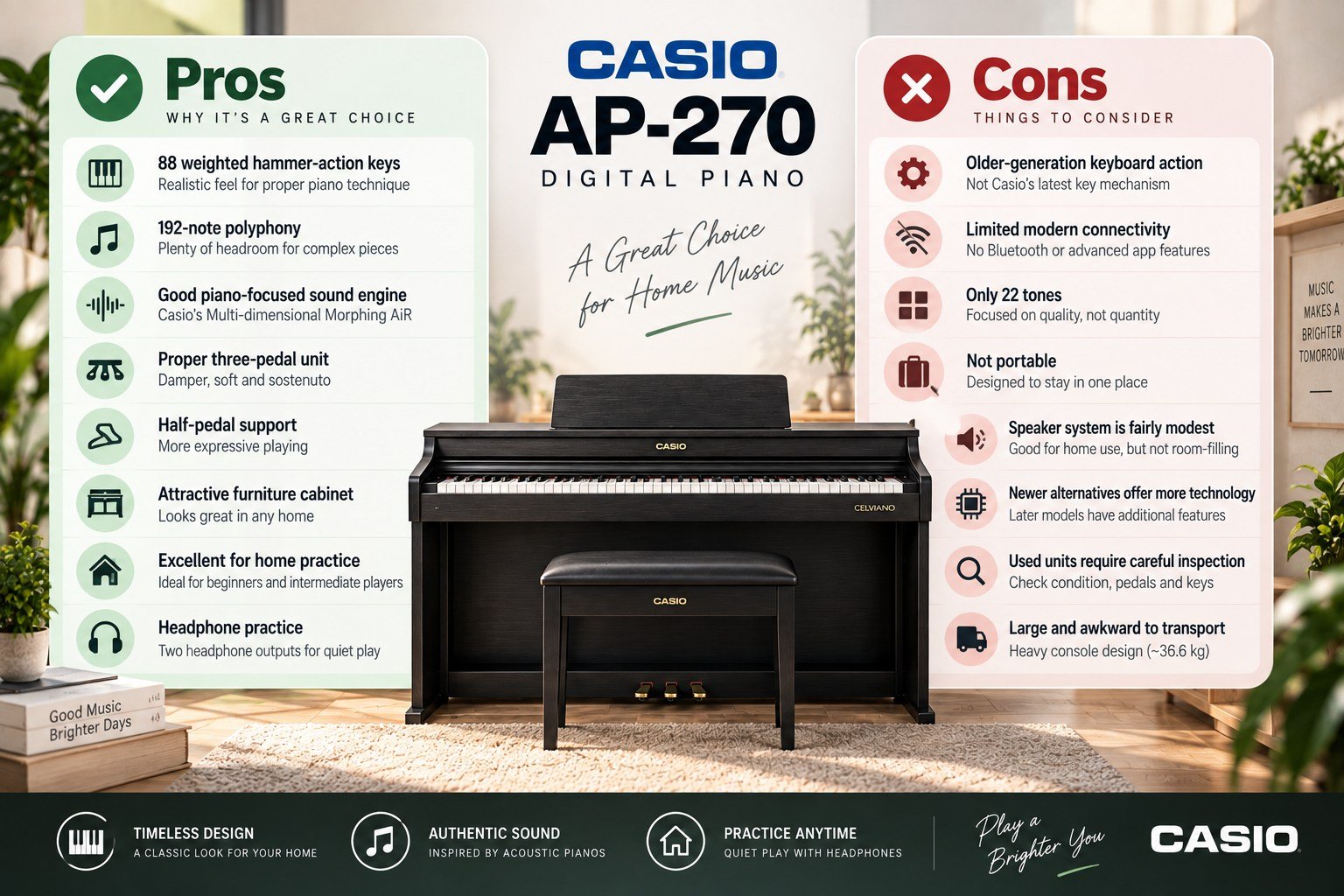
| ✅ Casio AP-270 Pros | ❌ Casio AP-270 Cons |
|---|---|
| 88 weighted hammer-action keys | Older-generation keyboard action |
| 192-note polyphony | Limited modern connectivity |
| Good piano-focused sound engine | Only 22 tones |
| Proper three-pedal unit | Not portable |
| Half-pedal support | Speaker system is fairly modest |
| Attractive furniture cabinet | Newer alternatives offer more technology |
| Excellent for home practice | Used units require careful inspection |
| Headphone practice | Large and awkward to transport |
Who Should Buy the Casio AP-270?
I’d recommend it primarily to someone who finds one at a good used price and wants a real home digital piano rather than a keyboard.
It’s particularly compelling for a beginner taking lessons.
You aren’t paying for flashy arranger functions you’ll probably never use. You’re getting weighted keys, pedals, a permanent playing position and a respectable piano sound.
I’d skip it if portability is important or if modern wireless/app connectivity is high on your list.
And an experienced pianist spending serious money should compare newer instruments in person before deciding.
Final Verdict: Is the Casio AP-270 Still Worth It?
The Casio AP-270 is old-fashioned in a mostly good way.
Its priorities are straightforward: 88 weighted keys, convincing piano sounds, three pedals, a proper cabinet and quiet practice through headphones.
It doesn’t need hundreds of sounds to justify itself.
The biggest question today is price.
As a brand-new purchase against modern digital pianos, I’d want to compare newer Casio, Yamaha, Roland and Kawai options before committing. But as a used digital piano at the right price, the AP-270 can still be an excellent first serious instrument.
For a beginner choosing between a cheap unweighted keyboard and a well-kept AP-270, I’d take the AP-270 almost every time.
You’re buying less technology.
But you’re buying much more piano.