
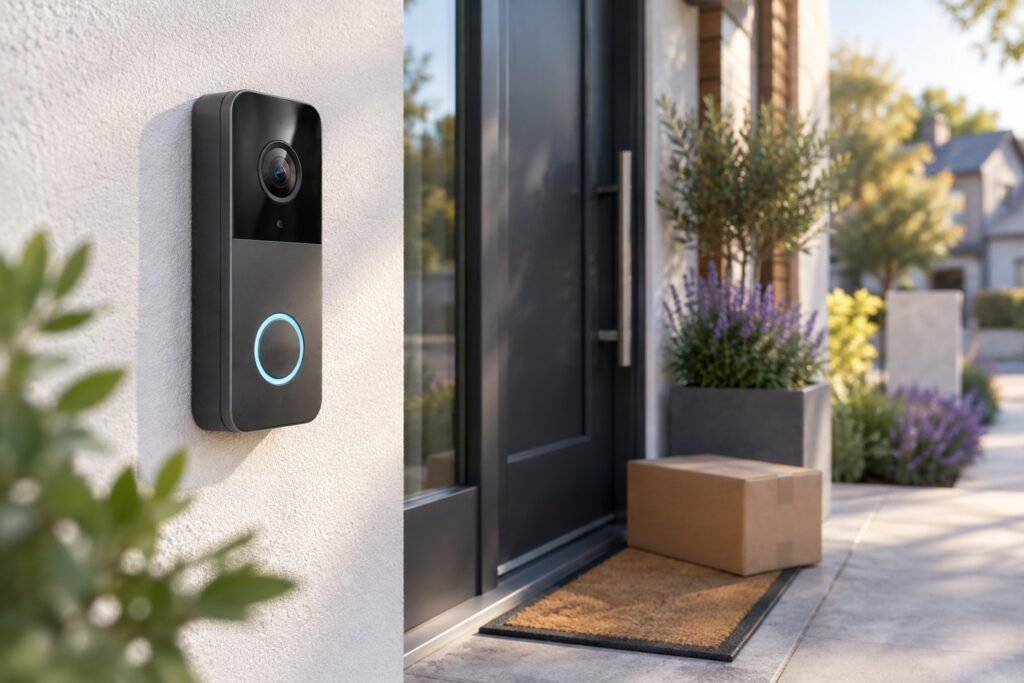
A video doorbell is easy to buy badly.
Almost every current model promises sharp video, motion alerts and two-way audio. Those features are no longer enough to separate a great doorbell from an annoying one. The differences that matter usually appear after installation: how quickly notifications arrive, whether packages remain visible on the ground, what happens when you stop paying for cloud storage, how often the battery needs attention and whether the doorbell actually works well with the smart-home system you already use.
For 2026, our overall pick is the Google Nest Doorbell (Wired, 3rd Gen). It strikes the strongest balance between useful 2K video, a tall head-to-toe view, intelligent alerts and everyday usability.
It isn’t the right choice for everyone. Eufy and Tapo are much more compelling if you want local storage without another monthly payment. Ring has pushed significantly harder on outright video quality. Aqara is unusually attractive for Apple Home users, while Reolink makes more sense for people who think of the doorbell as part of a larger local security system.
Our Picks
| Award | Model | Why We Picked It |
|---|---|---|
| ⭐ Best Overall | Google Nest Doorbell Wired 3rd Gen | Excellent balance of image quality, detection and software |
| 💰 Best Without a Subscription | Eufy Video Doorbell E340 | Local storage plus a dedicated package camera |
| 🔋 Best Battery Doorbell | Arlo Video Doorbell 2K 2nd Gen | Flexible installation and useful head-to-toe view |
| 🏆 Best Value | TP-Link Tapo D225 | 2K, local storage, AI detection and dual power |
| 🎥 Best Video Quality | Ring Wired Doorbell Pro 3rd Gen | 4K square video and stronger low-light performance |
| 🍎 Best for Apple Home | Aqara Doorbell Camera Hub G410 | HomeKit plus unusually broad smart-home support |
| 💾 Best for Local Security Systems | Reolink Battery Video Doorbell 2nd Gen | Local storage, wired mode and strong Home Assistant potential |
What Is the Best Doorbell Camera Overall?
The Google Nest Doorbell Wired 3rd Gen is the model we’d choose for most homes that already have suitable doorbell wiring.
The third generation fixes one of the biggest complaints about earlier Nest models by moving to a 2K square image. That’s particularly useful at a front door because vertical coverage often matters more than seeing another few feet of driveway on either side.
You want to see the visitor’s face, but you also want to see what they leave on the ground.
Nest also does a good job of making the camera useful without forcing you to interpret every movement yourself. Person, package, vehicle and animal detection make notifications considerably easier to manage.
The compromise is storage. Nest becomes substantially more capable when paired with Google’s paid services.
If you don’t want another subscription, we’d choose Eufy E340 instead.
If you already use Ring devices and want the sharpest video of this group, look at the Ring Wired Doorbell Pro 3rd Gen.
Best Doorbell Cameras of 2026
Best Overall Doorbell Camera
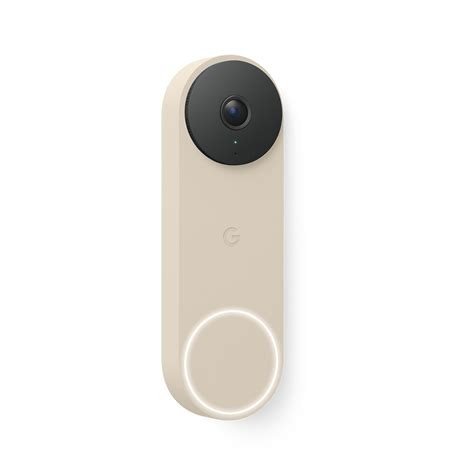
Google Nest Doorbell Wired 3rd Gen
Google’s latest wired Nest Doorbell is our favorite because it gets the everyday experience right rather than simply trying to win on specifications.
You get a 2K 2048×2048 image, HDR, a square 1:1 view and intelligent recognition of common front-door events.
That square format is more useful than it sounds. Older landscape-oriented doorbells could give you a great view of the street while cutting off the shoes of the person standing directly in front of the camera – or the package they had just placed underneath it.
Pros
- Sharp 2K HDR video
- Useful 1:1 head-to-toe framing
- Person detection
- Package detection
- Vehicle and animal alerts
- Good Google Home integration
- No battery charging
- Dual-band Wi-Fi
- Full-duplex two-way audio
Cons
- Wired installation only
- Longer video history is tied to Google’s paid ecosystem
- No conventional microSD storage
- Less attractive outside a Google-centric smart home
- Not the cheapest option
Our Take
The strongest argument for Nest isn’t simply its 2K sensor.
It’s how little attention the doorbell should require once it is installed.
A security camera can technically produce an excellent image while still being frustrating to own. Slow notifications, awkward event history or constant false alerts quickly matter more than a small difference in resolution.
Nest’s intelligent alerts help reduce that friction.
There is also enough vertical coverage to make the camera genuinely useful for deliveries rather than simply functioning as a digital peephole.
The downside is Google’s increasing reliance on subscription features. The basic doorbell remains useful without one, but buyers who want deeper history and the most advanced features need to account for the ongoing cost.
That’s why Nest wins overall rather than winning every category.
Who Should Buy It
Buy it if:
- your home already has compatible doorbell wiring
- you’re already using Google Home
- reliable smart detection matters
- you want an always-powered camera
- you’re comfortable with cloud-based features
Who Should Skip It
Skip it if local storage is a requirement or you strongly dislike recurring subscriptions.
Eufy, Tapo and Reolink are more interesting in that situation.
Key Specs
| Feature | Google Nest Doorbell Wired 3rd Gen |
|---|---|
| Resolution | 2048×2048 |
| Video | 2K HDR |
| Aspect ratio | 1:1 |
| Power | Wired |
| Wi-Fi | 2.4 / 5 GHz |
| Person detection | Yes |
| Package detection | Yes |
| Local microSD | No |
| Best for | Most households |
Best Doorbell Camera Without a Subscription
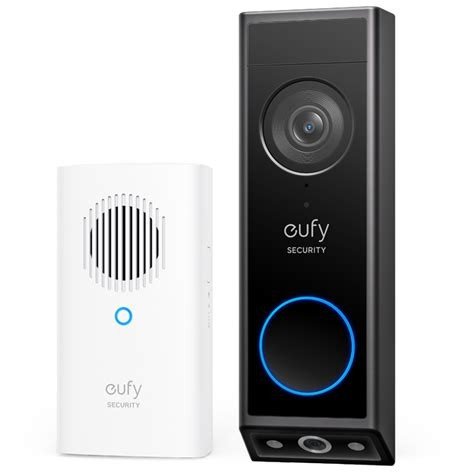
Eufy Video Doorbell E340
Eufy approaches the front door differently.
Instead of trying to make one camera see everything, the E340 uses two cameras.
The main 2K camera watches the visitor. A second camera points downward toward the doorstep.
That makes the E340 particularly useful if packages are one of the main reasons you’re buying a doorbell camera.
Pros
- No mandatory subscription
- 8GB internal local storage
- Dual cameras
- Dedicated package view
- 2K main camera
- Color night vision
- Human detection
- Package detection
- Battery or wired installation
- Removable battery
Cons
- Fairly large body
- No native Apple HomeKit support
- HomeBase adds cost if you want a larger Eufy system
- Battery mode still means charging
- Some owners report inconsistent connection or notification behavior
Our Take
Eufy solves two of the most annoying doorbell-camera problems at once.
First, you don’t have to pay every month just to retain useful recordings.
Second, the second lens keeps watching the part of the scene where packages actually end up.
That’s much more useful than an impressive horizontal field-of-view number if the bottom 30 centimeters of your doorstep disappear from the frame.
The E340 isn’t flawless.
Reddit owner discussions are noticeably more mixed around connection speed, HomeBase behavior and occasional reliability problems than the specification sheet would suggest. That’s exactly the kind of difference we’ll surface in our community section farther down the page.
But the basic product concept remains excellent.
Who Should Buy It
Choose the E340 if:
- you don’t want mandatory cloud fees
- packages matter
- local storage is important
- you want battery installation with an option to use wiring
- you may expand into the Eufy ecosystem later
Who Should Skip It
Apple Home users should look at Aqara.
If your number-one concern is having the simplest, most polished cloud experience, Nest may be easier to live with.
Key Specs
| Feature | Eufy E340 |
|---|---|
| Main camera | 2K |
| Secondary camera | Package camera |
| Storage | 8GB built in |
| Power | Battery / wired |
| Battery | Removable |
| Person detection | Yes |
| Package detection | Yes |
| Subscription required | No |
| Best for | Local storage and deliveries |
Best Battery-Powered Doorbell Camera
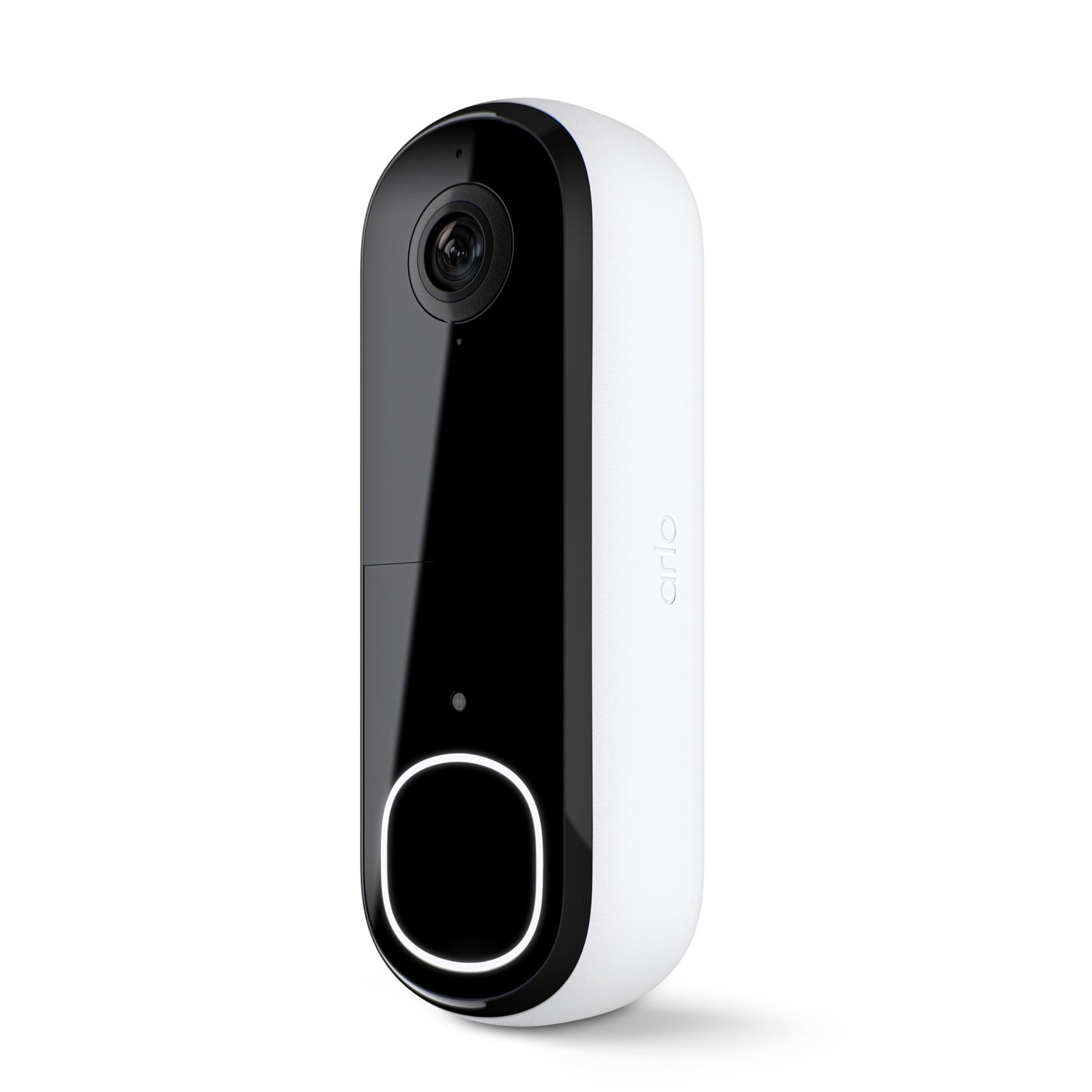
Arlo Video Doorbell 2K 2nd Gen
If installing new wiring isn’t practical, Arlo’s second-generation 2K doorbell is one of the easiest mainstream options to recommend.
It combines a 2K image with broad head-to-toe coverage and can operate as either a wire-free doorbell or a wired one.
Pros
- 2K video
- Wide head-to-toe coverage
- Battery or wired installation
- Straightforward installation
- Two-way audio
- Night vision
- Built-in siren
- Alexa and Google compatibility
Cons
- Best features lean heavily on Arlo Secure
- Cloud-oriented storage
- Larger than slim wired doorbells
- Less compelling for subscription-free buyers
Our Take
Battery doorbells are fundamentally a trade.
You gain freedom over placement and lose permanent power.
For renters, older homes and entrances where wiring would be awkward, that’s usually an excellent trade. For a house where doorbell wiring already exists, it may not be.
Arlo makes the battery side of the equation relatively painless while retaining enough resolution to provide useful detail.
The bigger issue is the subscription model.
If you’re happy paying for Arlo Secure, the ecosystem makes much more sense. If your entire reason for leaving Ring or Nest is avoiding another monthly payment, Arlo isn’t where we’d start.
Who Should Buy It
Good fit for:
- renters
- entrances without existing wiring
- buyers prioritizing easy installation
- people already using Arlo cameras
Who Should Skip It
Skip it if local storage and zero recurring cost are top priorities.
Key Specs
| Feature | Arlo Video Doorbell 2K 2nd Gen |
|---|---|
| Resolution | 2K |
| Power | Battery / wired |
| Head-to-toe view | Yes |
| Two-way audio | Yes |
| Siren | Yes |
| Smart home | Alexa / Google |
| Storage approach | Cloud-focused |
| Best for | Wire-free installation |
Best Value Doorbell Camera
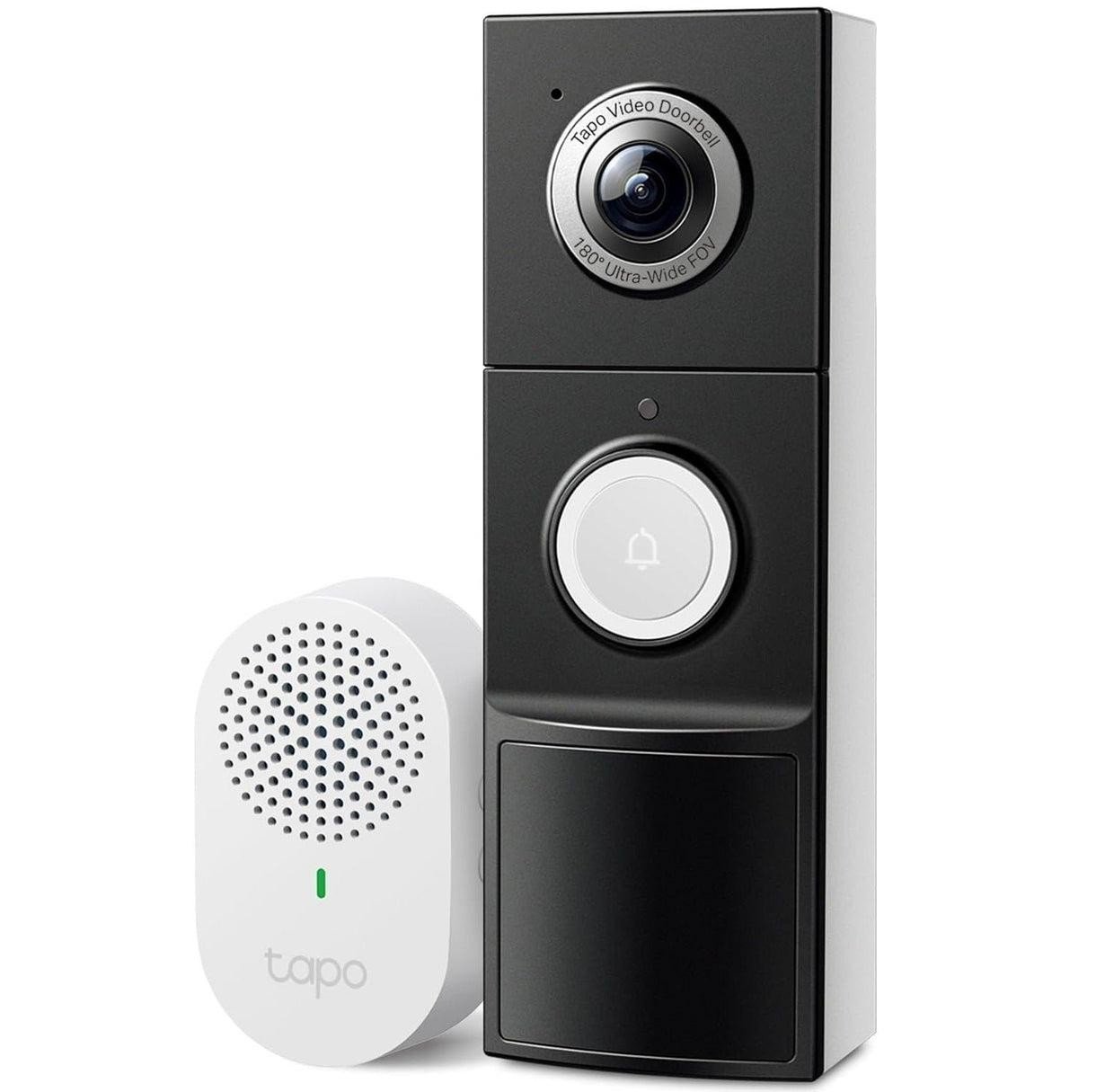
TP-Link Tapo D225
The Tapo D225 is the model that makes several more expensive doorbells difficult to justify.
It combines 2K video, a very wide head-to-toe view, battery or wired operation, microSD storage and local AI detection.
And unlike some competitors, many of those useful functions don’t disappear when you stop paying a monthly fee.
Pros
- 2K QHD video
- 180-degree viewing coverage
- Large 10,000mAh battery
- Can also be hardwired
- microSD storage up to 512GB
- Person recognition
- Package recognition
- Vehicle recognition
- Pet recognition
- Color night vision
- 24/7 recording possible when wired
- No subscription required for the core local setup
Cons
- 2.4GHz Wi-Fi only
- Chunky compared with some wired competitors
- Cloud storage still requires Tapo Care
- Real battery life will vary substantially with activity
Our Take
Tapo wins value because the feature list contains things that actually matter.
Local storage matters.
Package detection matters.
The ability to start wire-free and later hardwire the same doorbell matters.
Continuous recording matters for some security-conscious buyers.
These are more useful than another collection of novelty filters buried inside an app.
The D225 also illustrates why comparing retail prices alone is misleading. A slightly cheaper camera tied to a permanent subscription can become significantly more expensive after two or three years.
Who Should Buy It
The D225 is particularly strong for buyers who want:
- excellent value
- local storage
- smart detection
- battery installation today
- an option to hardwire later
Who Should Skip It
Look elsewhere if 5GHz Wi-Fi is important at your entrance or if you’re already heavily invested in another manufacturer’s ecosystem.
Key Specs
| Feature | Tapo D225 |
|---|---|
| Resolution | 2K QHD |
| Power | 10,000mAh battery / wired |
| Local storage | microSD up to 512GB |
| 24/7 recording | Wired mode |
| Person detection | Yes |
| Package detection | Yes |
| Vehicle detection | Yes |
| Pet detection | Yes |
| Wi-Fi | 2.4GHz |
| Best for | Features per dollar |
Best Doorbell Camera for Video Quality
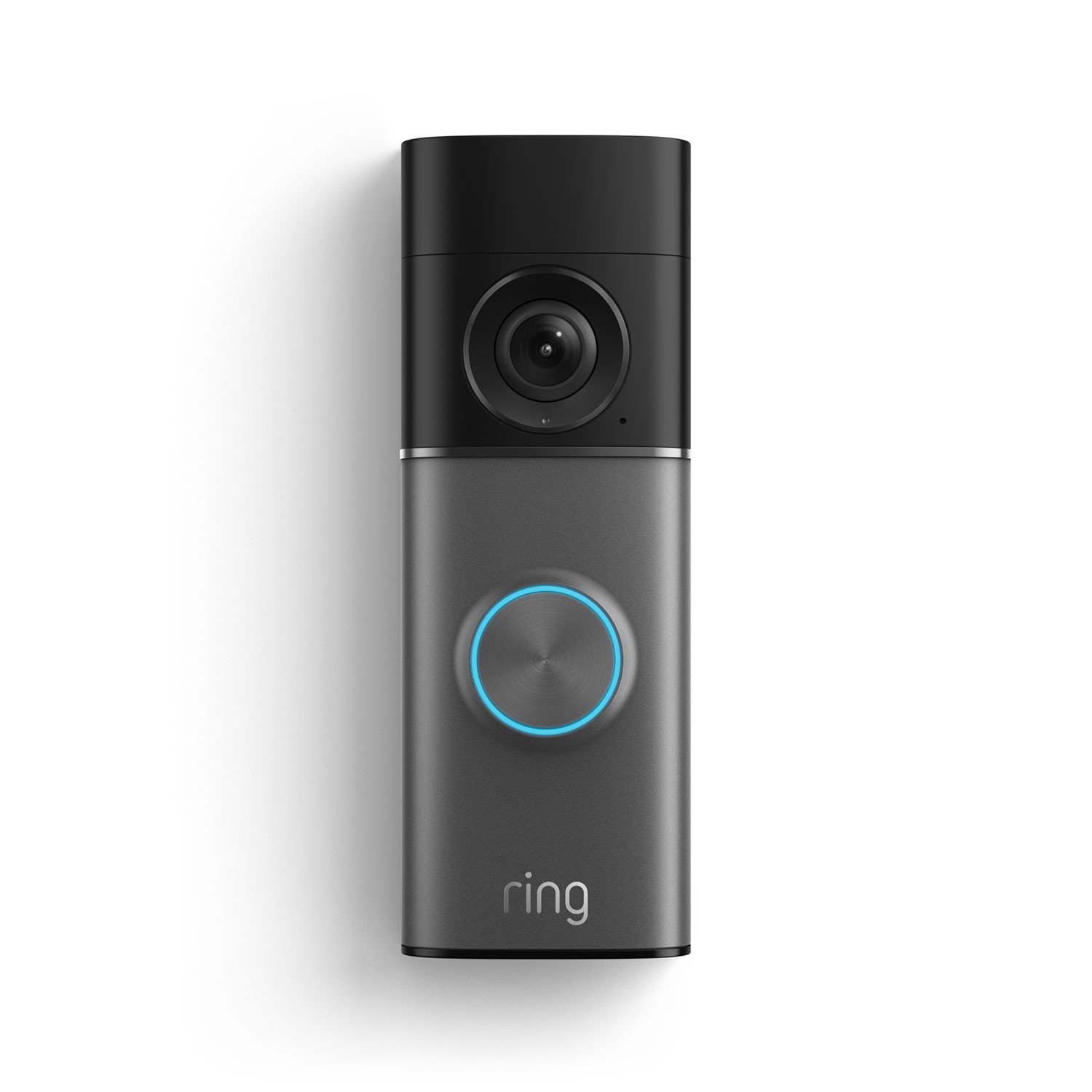
Ring Wired Doorbell Pro 3rd Gen
Ring finally moved beyond the resolution race being mostly marketing.
The third-generation Wired Doorbell Pro records a 2880×2880 square image, giving you 4K-class detail together with a 1:1 head-to-toe view.
That combination makes more sense on a doorbell than simply stretching a traditional security-camera image wider.
Pros
- 2880×2880 video
- Square 1:1 framing
- Head-to-toe coverage
- Excellent fine detail
- Up to 10x enhanced zoom
- Improved low-light processing
- 3D Motion Detection
- Dual-band Wi-Fi 6
- Mature Ring ecosystem
Cons
- Premium price
- Wired installation
- No conventional microSD recording
- Recorded-video experience remains tied closely to Ring subscriptions
- More camera than many homes actually need
Our Take
There is an important distinction between having 4K and making 4K useful.
A doorbell deals with difficult lighting constantly.
A visitor may stand underneath a dark porch while the sky behind them is bright. At night, a porch light may illuminate one part of the image while leaving the rest almost black.
The latest Ring doesn’t simply add pixels. Its low-light improvements and square framing make those pixels more useful.
Would we pay the premium just to know that someone pressed the button?
No.
But if you frequently need to crop into footage, identify details farther from the door or already run several Ring cameras, the Pro becomes much easier to justify.
Who Should Buy It
Best suited to:
- existing Ring users
- buyers prioritizing image quality
- wired homes
- people willing to pay for the broader Ring service
Who Should Skip It
Don’t choose it if avoiding cloud subscriptions is one of your main requirements.
Key Specs
| Feature | Ring Wired Doorbell Pro 3rd Gen |
|---|---|
| Resolution | 2880×2880 |
| Video class | 4K |
| Aspect ratio | 1:1 |
| FOV | 140° H × 140° V |
| Zoom | Up to 10x |
| Wi-Fi | Wi-Fi 6, 2.4 / 5GHz |
| Power | Wired |
| Local microSD | No |
| Best for | Image detail |
Best Video Doorbell for Apple Home
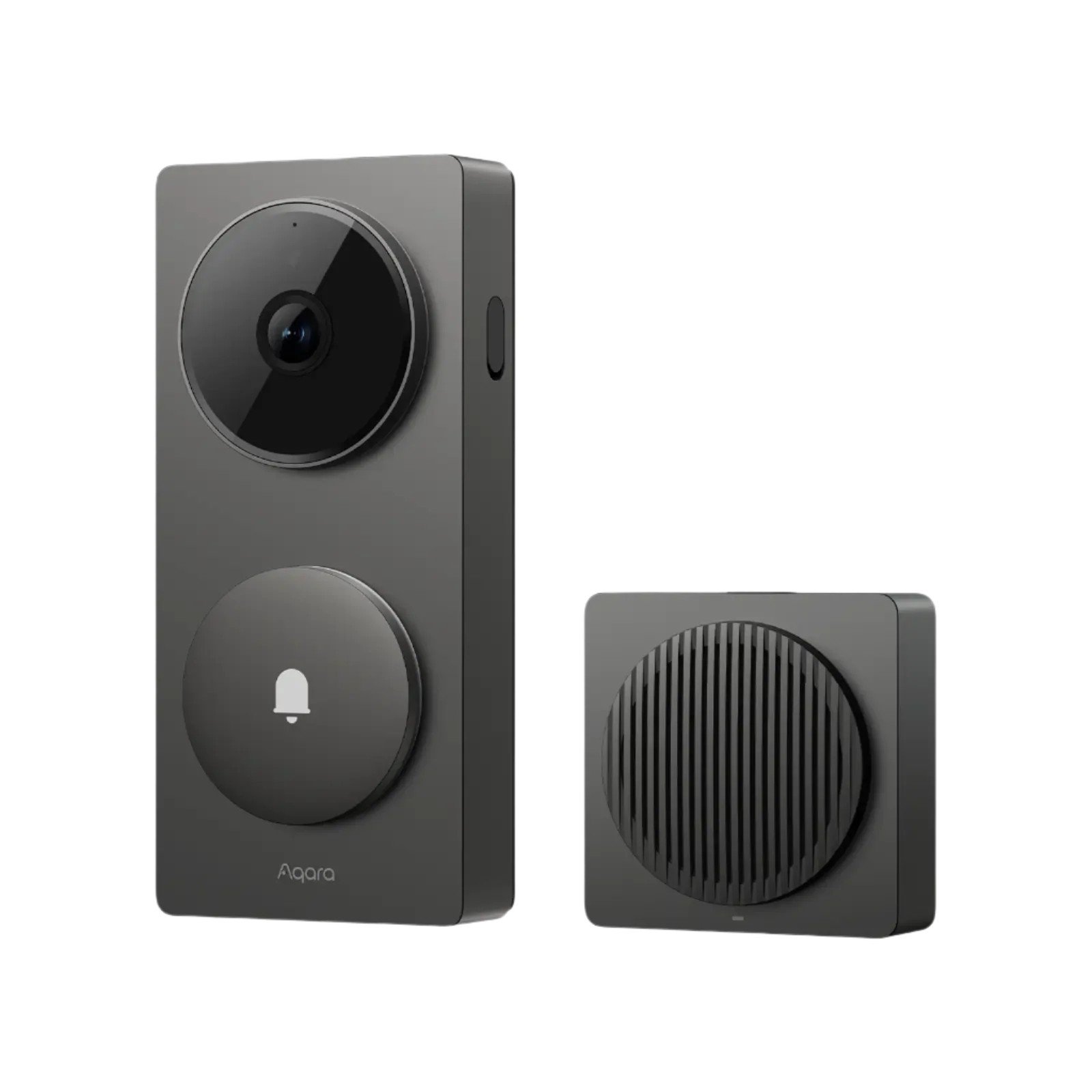
Aqara Doorbell Camera Hub G410
The G410 is one of the more unusual products here because it’s more than a camera with a doorbell button attached.
Aqara combines a 2K camera with Apple Home support, local storage options and smart-home hub functionality.
For someone already building around HomeKit, Zigbee, Thread or Matter, that’s genuinely useful.
Pros
- 2K video
- Apple Home support
- HomeKit Secure Video support
- Local microSD storage
- Battery or wired power
- Zigbee hub
- Thread Border Router functionality
- Matter ecosystem potential
- Alexa and Google compatibility
- 2.4GHz and 5GHz Wi-Fi
Cons
- More complex than a conventional doorbell
- Extra hub functions are wasted if you don’t need them
- Battery mode introduces the usual wake-up compromises
- Aqara ecosystem makes the most sense when you own other Aqara devices
Our Take
Most doorbells are endpoints.
The G410 can become infrastructure.
That’s why comparing it purely on camera resolution misses part of its appeal.
For an Apple Home household, native integration alone can be a reason to shortlist it. Add Zigbee, Thread, Matter and local storage and it becomes considerably more interesting to advanced smart-home users.
Reddit discussions also expose an important battery-versus-wired detail: some users report that battery operation can introduce wake-up delays that matter for automations and instant notifications. That makes the G410 more attractive hardwired when possible.
Who Should Buy It
Choose the G410 if:
- Apple Home matters
- you use HomeKit Secure Video
- you already own Aqara products
- Matter/Thread/Zigbee integration is valuable
- the doorbell will participate in automations
Who Should Skip It
If all you want is a simple camera and button, you’re paying for capabilities you’ll probably ignore.
Key Specs
| Feature | Aqara G410 |
|---|---|
| Resolution | 2K |
| Power | Battery / wired |
| Local storage | microSD |
| Apple Home | Yes |
| HomeKit Secure Video | Yes |
| Zigbee | Yes |
| Thread | Yes |
| Matter ecosystem | Yes |
| Best for | Apple and advanced smart homes |
Best Doorbell Camera for Local Security Systems
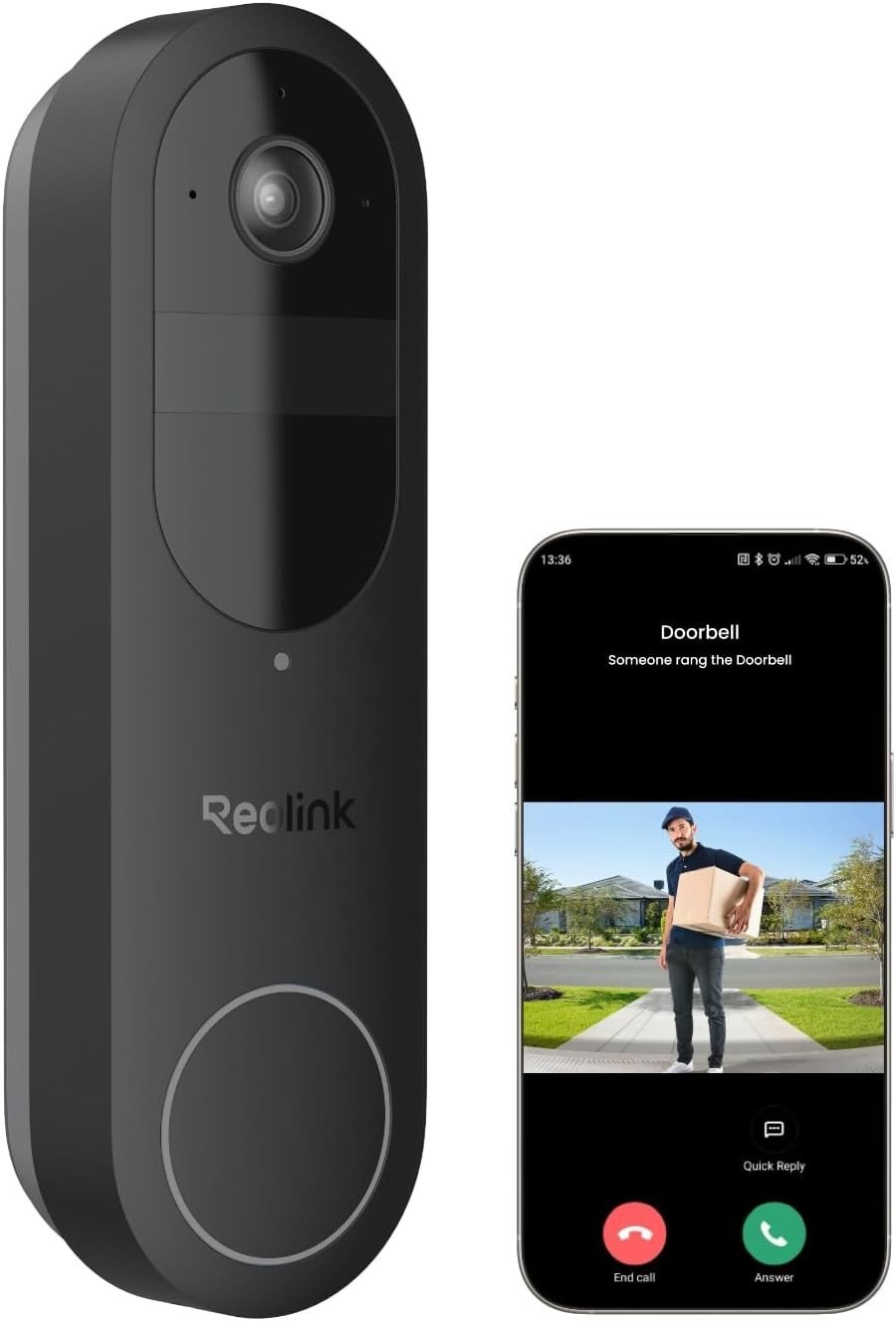
Reolink Battery Video Doorbell 2nd Gen
Reolink deserves a different kind of recommendation.
Ring, Nest and Arlo feel like smart-home products that also perform security duties.
Reolink feels more like a security-camera company that happens to make a doorbell.
For the right buyer, that’s a compliment.
The current Battery Video Doorbell 2nd Gen records at 2048×2048, supports microSD cards up to 512GB, offers 2.4GHz and 5GHz Wi-Fi and can operate in battery or wired modes.
Hardwiring also opens up capabilities that battery-only buyers normally give up, including continuous recording.
Pros
- 2K 2048×2048 video
- 1:1 framing
- 150° horizontal and vertical view
- microSD support up to 512GB
- Battery or wired operation
- 24/7 recording available in wired mode
- 2.4 / 5GHz Wi-Fi
- Person detection
- Package detection
- Home Assistant support
- No mandatory cloud subscription
Cons
- Less polished mainstream ecosystem than Ring or Google
- Advanced local-security features require more setup
- Battery operation can’t provide every wired feature
- Not as appealing for casual smart-home buyers
Our Take
Reolink is where we’d look if the words RTSP, ONVIF, NVR or Home Assistant already mean something to you.
You can use the doorbell much more like part of an actual camera system rather than treating every recording as something that must first pass through a manufacturer’s subscription service.
The new generation makes the proposition better because you don’t have to choose battery forever.
Start wire-free if necessary.
Hardwire later and unlock a more continuous security-camera style of use.
That’s a genuinely useful upgrade path.
Who Should Buy It
Strong choice for:
- Home Assistant users
- Reolink camera owners
- local-storage enthusiasts
- DIY security setups
- buyers who may add an NVR later
Who Should Skip It
Nest or Ring is easier if you want a highly polished mainstream ecosystem and don’t care how the video infrastructure works underneath it.
Key Specs
| Feature | Reolink Battery Doorbell 2nd Gen |
|---|---|
| Resolution | 2048×2048 |
| Sensor | 4MP |
| Aspect | 1:1 |
| Horizontal FOV | 150° |
| Vertical FOV | 150° |
| Storage | microSD up to 512GB |
| Power | Battery / wired |
| 24/7 recording | Wired mode |
| Wi-Fi | 2.4 / 5GHz |
| Home Assistant | Yes |
| Best for | Local security systems |
Best Doorbell Cameras Compared
| Model | Our Pick | Video | Power | Local Storage | Subscription Needed for Core Recording? |
|---|---|---|---|---|---|
| Google Nest Wired 3rd Gen | ⭐ Best Overall | 2K | Wired | No conventional microSD | Cloud-oriented |
| Eufy E340 | 💰 No Subscription | 2K + package cam | Battery / wired | 8GB built in | No |
| Arlo 2K 2nd Gen | 🔋 Battery | 2K | Battery / wired | Cloud-oriented | Strongly benefits from plan |
| Tapo D225 | 🏆 Value | 2K | Battery / wired | Up to 512GB microSD | No |
| Ring Wired Pro 3rd Gen | 🎥 Video | 4K | Wired | No microSD | Cloud-oriented |
| Aqara G410 | 🍎 Apple Home | 2K | Battery / wired | microSD | No |
| Reolink Battery 2nd Gen | 💾 Local Security | 2K | Battery / wired | Up to 512GB microSD | No |
What to Consider Before Buying a Doorbell Camera
Subscription Cost
Don’t stop at the purchase price.
Multiply the monthly service by 36 months and add it to the cost of the camera.
That can completely change which model represents good value.
Local Storage vs Cloud Storage
Local storage gives you control and avoids recurring fees.
Cloud storage has an important security advantage: stealing or destroying the camera doesn’t necessarily destroy the recording.
Neither method is universally superior.
For a security-focused setup, having both can be ideal.
Wired vs Battery
Use wired power when you can.
You don’t need to remember charging, and some cameras unlock continuous recording or faster behavior while permanently powered.
Battery models make more sense when:
- you’re renting
- there is no existing wiring
- running cable is difficult
- placement flexibility matters more
Head-to-Toe View
Do not compare horizontal FOV alone.
A doorbell must see downward.
Square 1:1 images and tall aspect ratios are particularly useful because they show both a visitor’s face and whatever they place beneath the camera.
Package Detection
Recognition and visibility are different things.
A camera may successfully alert you that a package was delivered and then lose sight of it.
Eufy’s second downward-facing camera is particularly effective here because it addresses the physical blind spot rather than relying only on software.
Notification Speed
This is one specification manufacturers almost never put on the box.
And it matters enormously.
If a visitor walks away before your phone notification opens, perfect image quality hasn’t helped much.
This is one of the reasons we include owner discussions and real video tests alongside published specifications.
1080p vs 2K vs 4K
2K is the practical sweet spot for most current doorbells.
It gives more room for cropping than 1080p without the bandwidth and storage demands of 4K.
Ring’s latest 4K model is useful if maximum fine detail genuinely matters.
But good HDR, exposure and night processing can make a bigger practical difference than resolution alone.
Night Vision
Look at actual footage whenever possible.
A bright porch light beside a dark driveway can challenge a camera more than complete darkness.
This is why we include video tests directly alongside our recommendations rather than relying only on spec sheets.
Wi-Fi at Your Front Door
Before buying anything, close your front door and check Wi-Fi signal outside.
Brick, concrete, insulation, metal doors and distance from your router can all reduce signal strength.
A premium 4K doorbell on a terrible connection will be less useful than a cheaper 2K camera with a stable signal.
Smart-Home Compatibility
Start with the ecosystem you already own.
Google Home → Nest is easy.
Alexa / Ring household → Ring makes sense.
Apple Home → Aqara deserves serious attention.
Home Assistant / local automation → Reolink becomes much more interesting.
You shouldn’t have to build a second smart home just to make your doorbell work properly.
Battery or Wired Doorbell: Which Should You Buy?
If compatible wiring already exists, our preference is generally wired.
Permanent power removes one maintenance task and can unlock capabilities battery cameras cannot efficiently provide.
If no wiring exists, don’t let that stop you from buying a good video doorbell.
Battery models from Arlo, Eufy, Tapo, Aqara and Reolink are now capable enough that wire-free installation no longer automatically means buying a compromised camera.
The most interesting models actually support both.
That allows you to install the camera immediately and hardwire it later.
Do You Need a Doorbell Camera Subscription?
No.
And in 2026, we would hesitate to describe cloud storage as mandatory for a good doorbell.
Eufy, Tapo, Aqara and Reolink all provide meaningful local-storage options.
But be careful with the phrase “no subscription required.”
It can mean:
The camera records locally and most intelligent features continue to work.
Or it can mean:
- The camera turns on without a subscription, but many of the features shown in advertisements disappear
- Check exactly what remains available before buying
That’s important enough that we’re treating Best Doorbell Cameras Without a Subscription as its own buying guide rather than trying to fit the entire subject onto this page.
How We Chose These Doorbell Cameras
We don’t pretend that assigning every doorbell an arbitrary score such as 8.7/10 makes the recommendation more scientific.
Instead, each product is judged according to what its intended buyer actually needs.
We looked at:
- video detail
- HDR and low-light performance
- vertical coverage
- package visibility
- motion and object detection
- notification behavior
- two-way audio
- local storage
- cloud storage
- subscription dependence
- wired and battery options
- Wi-Fi support
- smart-home compatibility
- long-term ownership cost
- current owner feedback
- and whether paying more gives you something genuinely useful
- We also use independent video testing where it adds information that a specification sheet cannot provide
- Most importantly, we do not claim hands-on testing when we haven’t physically tested the device ourselves
Our recommendations combine current product specifications, independent testing and recurring owner feedback to identify which models make the most sense for different buyers.
Other Doorbell Cameras Worth Considering
Not every good product needs its own award.
Blink remains interesting for buyers primarily concerned with purchase price.
Older Ring and Nest models can become excellent deals after a newer generation arrives, particularly if you’re already committed to their ecosystem.
PoE doorbells also deserve more attention than they get in mainstream comparisons. If you’re renovating a house or can easily run Ethernet to the entrance, a PoE setup avoids both Wi-Fi uncertainty and battery maintenance.
That’s a smaller audience, though, so we would rather cover it properly in a dedicated Best PoE Doorbell Cameras guide than force one onto this list simply to add another product.
Doorbell Camera FAQ
What is the best doorbell camera in 2026?
For most homes with compatible wiring, our overall choice is the Google Nest Doorbell Wired 3rd Gen. Eufy E340 is the stronger option if you specifically want local recording without a monthly subscription.
What is the best doorbell camera without a subscription?
Eufy E340 and Tapo D225 are two of the strongest mainstream choices. Reolink becomes particularly interesting for more advanced local-security and Home Assistant setups.
Is Ring the best doorbell camera?
Not universally.
Ring currently offers one of the strongest premium wired cameras, particularly for image quality, but local-storage buyers have better alternatives.
Is 4K worth it on a doorbell?
Sometimes.
4K is most valuable if you regularly crop into footage or need to identify fine details farther from the entrance.
For normal doorstep use, a well-designed 2K camera is enough for most homes.
Can a doorbell camera work without Wi-Fi?
Most consumer smart doorbells require Wi-Fi or another network connection for remote viewing, mobile notifications and two-way conversation.
Some local-storage models can continue recording during an internet outage, but you won’t receive normal remote features until connectivity returns.
Which video doorbell has local storage?
Current local-storage options include Eufy E340, Tapo D225, Aqara G410 and Reolink Battery Video Doorbell 2nd Gen.
What is the best doorbell for packages?
Eufy E340 is our favorite for frequent deliveries because its second camera is dedicated to the area beneath the doorbell where parcels are normally left.
What is the best doorbell for HomeKit?
Aqara G410 is our current choice because it combines Apple Home support with useful storage and broader smart-home capabilities.
What is the best video doorbell for Home Assistant?
Reolink is one of the strongest choices if Home Assistant and local control are major priorities. Aqara G410 is another interesting option when broader smart-home integration matters.
Are battery doorbells worth buying?
Yes.
Battery models are now good enough for most front doors. We still prefer permanent power when wiring is readily available, but battery is no longer a reason to settle for poor video or basic detection.
Final Recommendation
Start with four questions:
- Do you have doorbell wiring?
- Do you want local storage?
- Are you willing to pay a subscription?
- Which smart-home ecosystem do you already use?
- Those answers narrow the market faster than comparing twenty specification columns
- For most wired homes, we’d choose the Google Nest Doorbell Wired 3rd Gen
- For subscription-free recording and excellent package coverage, choose the Eufy E340
- For maximum value, the Tapo D225 is difficult to beat
- For wire-free simplicity, look at Arlo Video Doorbell 2K
- For maximum image quality, Ring’s Wired Doorbell Pro 3rd Gen is the standout
- Apple Home users should strongly consider Aqara G410
And if you want local storage, Home Assistant or a larger security-camera system, the Reolink Battery Video Doorbell 2nd Gen may actually be the most interesting product of the group.
The best video doorbell isn’t necessarily the one with the best camera.
It’s the one that still works the way you want it to work after the installation excitement is over.