
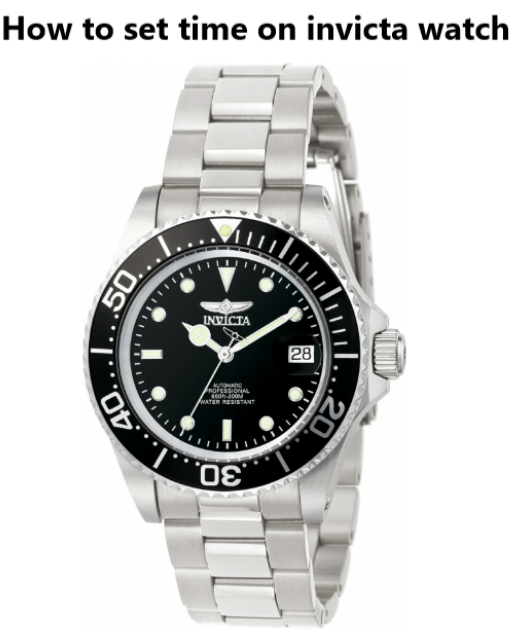
Invicta watches are known for their bold designs, large cases, and reliable movements. Many models use traditional quartz movements, while others feature automatic or chronograph mechanisms. Because of this variety, the exact process to set the time on an Invicta watch may differ slightly depending on the model.
In most cases, adjusting the time involves using the crown on the side of the watch case. Once you understand how the crown positions work, setting the time becomes quick and straightforward.
This guide explains how to set the time on an Invicta watch, including standard models, chronographs, automatic watches, and popular collections like the Invicta Pro Diver.
How to Set Time on an Invicta Watch
Most Invicta watches use a standard three-position crown system.
Step 1 – Locate the Crown
The crown is the small knob located on the side of the watch case, usually at the 3 o’clock position.
Some Invicta dive watches use a screw-down crown, which must be unscrewed before adjusting the time.
Step 2 – Pull the Crown to the Second Position
Gently pull the crown outward until it reaches the second click.
This activates the time adjustment mode and stops the movement of the hands.
Step 3 – Rotate the Crown
Turn the crown slowly to move the hour and minute hands.
Continue rotating until the watch shows the correct time.
A common watchmaker trick is to move the minute hand slightly past the correct minute and then move it back for better accuracy.
Step 4 – Push the Crown Back
Once the correct time is set, push the crown back into its original position.
If your watch has a screw-down crown, tighten it by rotating clockwise until it is secure.
How to Set Time and Date on an Invicta Watch
Many Invicta watches include a date window.
Step 1
Pull the crown to the first click position.
Step 2
Rotate the crown until the correct date appears.
Step 3
Push the crown back to return to normal operation.
Important tip: avoid adjusting the date between 9 PM and 3 AM, because the internal calendar mechanism may already be engaged.
How to Set Time on an Invicta Chronograph Watch
Invicta chronograph watches include additional subdials and stopwatch functions, but the main time adjustment remains simple.
Steps
- Pull the crown to the second position
- Rotate the crown to set the hour and minutes
- Push the crown back in
The chronograph pushers located above and below the crown control the stopwatch functions, not the main time.
How to Set Time on an Invicta Automatic Watch
Automatic Invicta watches do not use batteries. Instead, they rely on the movement of your wrist.
To adjust the time:
- Pull the crown to the second position
- Rotate the crown to set the correct time
- Push the crown back
If the watch has stopped, rotate the crown 15-20 turns to wind the movement before setting the time.
How to Set Time on an Invicta Pro Diver Watch

The Invicta Pro Diver is one of the brand’s most popular collections.
Because it is a dive watch, it usually includes a screw-down crown.
Steps
- Unscrew the crown by turning it counterclockwise
- Pull the crown to the second position
- Rotate the crown to adjust the hands
- Push the crown back in
- Screw the crown down tightly
Always secure the crown properly to maintain water resistance.
Common Problems When Setting Time on an Invicta Watch
The crown does not pull out
Your watch may have a screw-down crown. Rotate it counterclockwise first.
The date changes at noon instead of midnight
This means the watch is set 12 hours off. Rotate the hands another full cycle.
The watch is not keeping time
Mechanical watches may need regular winding or servicing.
Quick Tips for Invicta Watch Owners
- Always secure the crown after setting the time
- Avoid adjusting the date late at night
- For automatic watches, wear them regularly to keep them running
- If your watch is a diver model, ensure the crown is tightly sealed
Popular Invicta Models and Time

AdjustmentInvicta Watch Time Setting Guide
| Watch Type / Model | How to Set Time | Special Notes | Guide |
|---|---|---|---|
| Invicta Watch (Standard Quartz) | Pull the crown to the second position and rotate it to adjust the hour and minute hands | Most Invicta watches use a simple crown adjustment system | How to set time on Invicta watch |
| Invicta Pro Diver | Unscrew the crown, pull it to the second position, rotate to set the time, then screw the crown back down | Screw-down crown protects water resistance | How to set time on Invicta Pro Diver |
| Invicta Automatic Watch | Pull the crown to the second position and rotate to set the time. Wind the crown 15-20 turns if the watch has stopped | Automatic watches require wrist movement or manual winding | How to set time on Invicta automatic watch |
| Invicta Chronograph Watch | Pull the crown to the second position and rotate to set the time | Chronograph buttons control the stopwatch, not the main time | How to set time on Invicta chronograph watch |
| Invicta Watch Time & Date | Pull the crown to the first position to set the date and second position to adjust the time | Avoid changing the date between 9 PM and 3 AM | How to set time and date on Invicta watch |
Final Thoughts
Setting the time on an Invicta watch is straightforward once you understand how the crown works. Whether you own a quartz model, a chronograph, or an automatic Invicta watch, the basic process remains the same: pull the crown, adjust the hands, and secure the crown back in place.
Taking a moment to learn these steps will help keep your watch accurate and ready for daily wear.
Crown Positions Explained (Invicta Watches)
| Crown Position | Function |
|---|---|
| Position 0 | Normal operation |
| Position 1 | Date adjustment |
| Position 2 | Time adjustment |
This crown system is used on most Invicta quartz, automatic, and dive watches, including the Invicta Pro Diver and Reserve collections.This crown system is used on most Invicta quartz, automatic, and dive watches, including the Invicta Pro Diver and Reserve collections.