
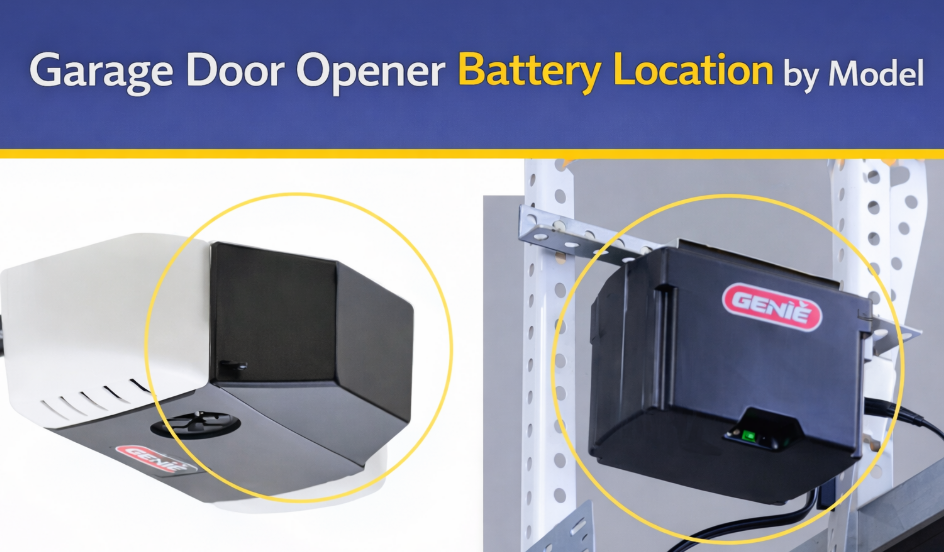
First identify which battery you are looking for. The handheld remote has a small replaceable cell. The opener’s backup battery is a larger rechargeable pack inside the motor unit. A beeping ceiling opener with a red battery LED is pointing to the backup pack, not the remote.
| Device/model example | Battery location | Battery/part | Access method |
|---|---|---|---|
| LiftMaster 8550W motor unit | Right side of opener, behind light lens/cover | 485LM backup battery | Unplug opener; open cover; pull pack out with terminals facing out |
| Chamberlain compatible backup units | Inside designated battery compartment on motor housing | Model-specific OEM pack, often 4228 family | Use model label before ordering |
| LiftMaster 8500 handheld remote | Inside remote shell | CR2032 | Pry at remote seam/notch; match polarity |
| Wireless keypad | Rear battery door | Often 9 V, model-dependent | Slide/remove rear cover |
| Wall control | Usually no user battery | Powered by opener wiring | Do not open looking for a coin cell |
Replacing an opener backup battery
- Read the opener model number from the motor unit and confirm the battery part in its manual.
- Unplug mains power. The backup circuit remains live, so avoid touching both terminals with a tool.
- Open the specified light lens or battery cover, support the pack and disconnect black and red leads by their connectors.
- Connect the replacement with correct polarity, seat it in the same direction and close the cover.
- Restore power and allow the charger time to bring the new pack up before testing an outage.
What the beeps and LEDs mean
On Chamberlain and LiftMaster battery-backup systems, periodic beeping and a red/orange battery indicator commonly signal a low, disconnected or failed pack. Exact patterns vary by model. If a new pack still triggers the warning, recheck both connectors and the manual’s diagnostic chart.
Remote battery location
For a handheld remote, look for a small case notch, screw or sliding rear panel. The battery type is printed on the cell. Replacing it should not erase remote programming; if the LED lights but the door does not move, check lock/vacation mode and opener power before re-enrolling the remote.